Qythera Service
Reporting Automation Services for Business Teams
Automate recurring reports so teams spend less time preparing numbers and more time improving performance.
Service overview
Build reporting that matches how your team works
Reporting automation services help companies remove the repetitive effort involved in preparing daily, weekly, and monthly reports. Many teams still collect data manually, clean spreadsheets, update pivots, format slides, and share report files by email. That work is necessary, but it should not consume hours every reporting cycle. Qythera designs automated reporting workflows that make recurring information easier to refresh, validate, and distribute.
Automation can take different forms depending on the current process. Some businesses need Excel reports cleaned and refreshed automatically. Others need Power BI dashboards connected to source files or systems. Some teams need scheduled refreshes, Power Automate notifications, or standardized templates that reduce manual checking. The right solution is the one that fits your data, users, and decision rhythm.
Our approach focuses on reliability. A report is only useful if users trust it, so we map source data, define transformation rules, validate outputs, and add checks where needed. The final workflow should reduce dependency on manual steps while keeping the reporting process transparent. Teams gain faster access to numbers, fewer version conflicts, and more time for analysis.
Reporting Automation Services should be planned as a business system, not as a one-time design exercise. During delivery, Qythera translates current reporting habits into a cleaner operating model. That includes deciding which numbers belong on the first screen, which details should sit behind drill-down views, and which users need simple filters instead of complex report pages. This planning keeps the final output useful for daily work as well as leadership review.
The delivery also considers adoption. A technically correct dashboard or automation can still fail if users do not understand when to use it, which numbers to trust, or how to respond when an exception appears. For Reporting Automation, we define the most important review moments: morning checks, weekly meetings, month-end reporting, operational follow-up, or management summaries. Those moments shape the page structure and the handover notes.
Data governance is handled in a practical way. We clarify where source data comes from, how often it should refresh, which fields are mandatory, and how calculation logic should be explained. This is especially important for teams in Finance and accounts, Operations teams, Sales operations, Inventory management, where small reporting errors can affect stock decisions, revenue reviews, customer follow-up, workload planning, or finance visibility.
A typical engagement includes a working reporting model, designed pages or automated outputs, validation against existing reports, documented assumptions, and a handover session. When required, we also prepare a roadmap for the next phase so the first version can expand into more advanced analytics, additional data sources, new workflow steps, or department-specific reporting views.
We also plan how the service will be maintained after launch. That means identifying who owns source files, who can request metric changes, how refresh problems should be reported, and which checks should happen before leadership relies on the output. This keeps Reporting Automation useful after the first version is delivered and prevents the team from drifting back into disconnected manual reporting. It also gives new users a clearer path to understand the logic without depending on undocumented knowledge.
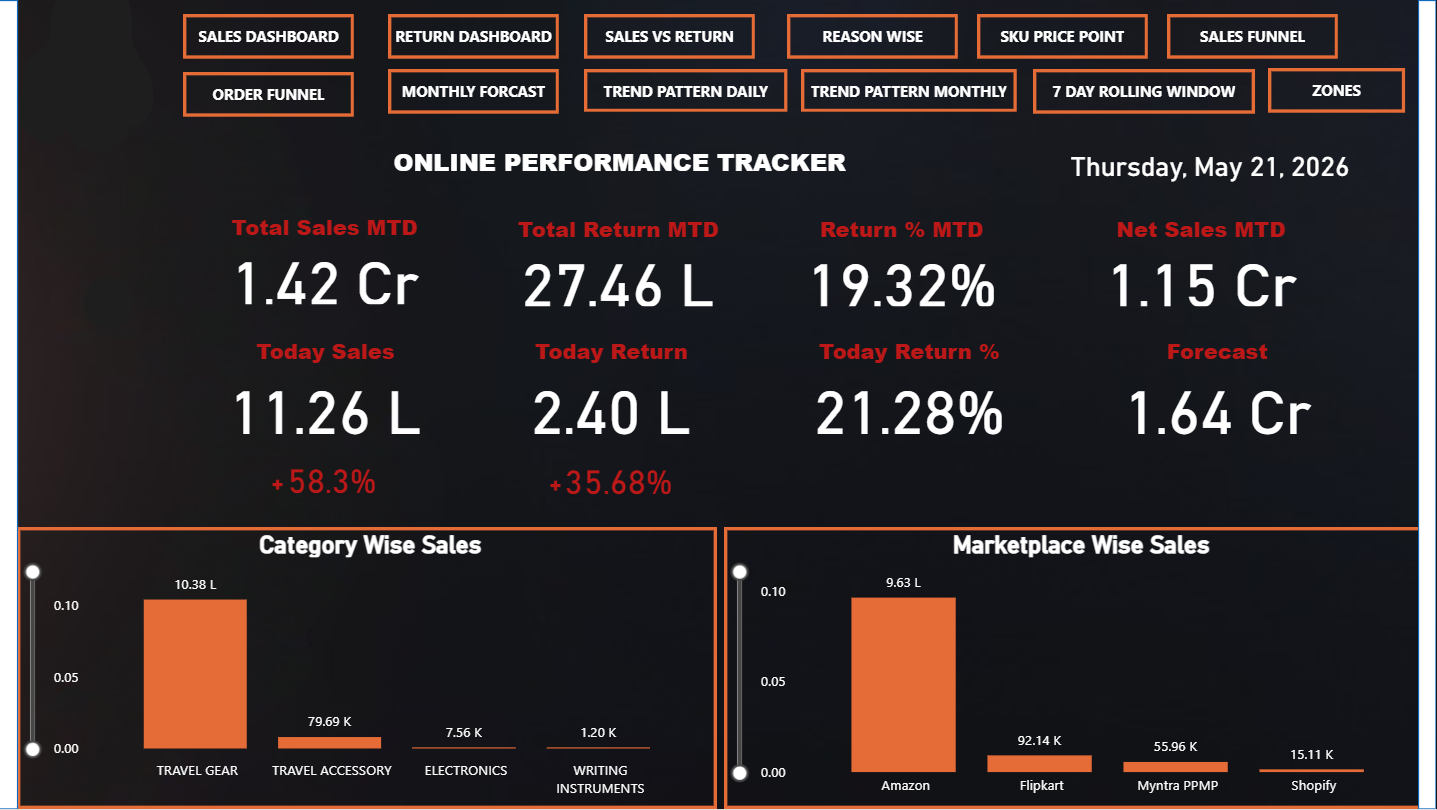
Examples are used during the build to keep the work concrete. For this service, that may include Weekly business review report that refreshes sales, inventory, and operations data from prepared source files. Finance reporting workflow that standardizes expense exports, calculates summaries, and prepares management views. These examples help stakeholders react to something tangible and prevent the project from becoming a vague dashboard request. The result is a focused solution that gives the team a better way to see performance, discuss problems, and choose the next action.
Business benefits
What improves after the service is implemented
Reduced manual reporting time
Reduced manual reporting time across recurring operational, sales, finance, inventory, and management reports.
Improved accuracy because transformations,
Improved accuracy because transformations, calculations, and formatting are applied consistently every cycle.
Faster refreshes through connected
Faster refreshes through connected data sources, structured templates, Power Query, Power BI, or workflow automation.
Clearer ownership of reports
Clearer ownership of reports with documented inputs, outputs, refresh steps, and validation checks.
Less version confusion because
Less version confusion because teams rely on controlled reporting outputs instead of multiple emailed files.
Better analysis culture because
Better analysis culture because staff can focus on insights rather than report preparation.
Process
A practical delivery process from discovery to rollout
1. Report inventory
Report inventory: we list recurring reports, owners, source files, manual steps, pain points, and timing requirements.
2. Automation mapping
Automation mapping: we identify which steps can be removed, standardized, connected, refreshed, or scheduled.
3. Data and template design
Data and template design: we clean input structures, define transformations, and prepare reusable reporting outputs.
4. Workflow build
Workflow build: we create the automation using Excel, Power Query, Power BI, Power Automate, or a suitable combination.
5. Testing and rollout
Testing and rollout: we compare automated results with existing reports, refine exceptions, and document the new process.
Industries served
Built for teams with recurring data decisions
- Finance and accounts
- Operations teams
- Sales operations
- Inventory management
- HR reporting
- Founder and leadership teams
Dashboard examples
Examples your team can build toward
- Weekly business review report that refreshes sales, inventory, and operations data from prepared source files.
- Finance reporting workflow that standardizes expense exports, calculates summaries, and prepares management views.
- Operations exception report that identifies delays, pending work, aging records, and follow-up owners automatically.
- Power BI refresh workflow that updates dashboards from structured data and sends stakeholders to one source of truth.
Related services
Connect this service with the rest of your reporting system
Most reporting improvements work best when the surrounding workflows are connected. Explore related Qythera services that can extend this page into a broader business intelligence, automation, or dashboard roadmap.
FAQ
Common questions about Reporting Automation Services
What reports can be automated?
Sales reports, inventory reports, finance summaries, operations trackers, HR reports, management dashboards, and many recurring Excel workflows can be automated.
Does reporting automation require Power BI?
No. It can be built in Excel, Power Query, Power BI, Power Automate, or a combination depending on the need.
Can automated reports still be reviewed before sharing?
Yes. Workflows can include validation steps, review tabs, exception checks, and controlled distribution.
Will automation work with existing files?
Often yes. We can improve existing files or rebuild them into cleaner reporting templates.
How do you prevent wrong automated outputs?
We add source checks, validation comparisons, documented logic, and test results against historical reports before rollout.
Ready to improve Reporting Automation?
Share your current reporting challenge and Qythera will suggest a focused next step for your data, dashboard, or automation workflow.
Start a Project Conversation